Why I Built This
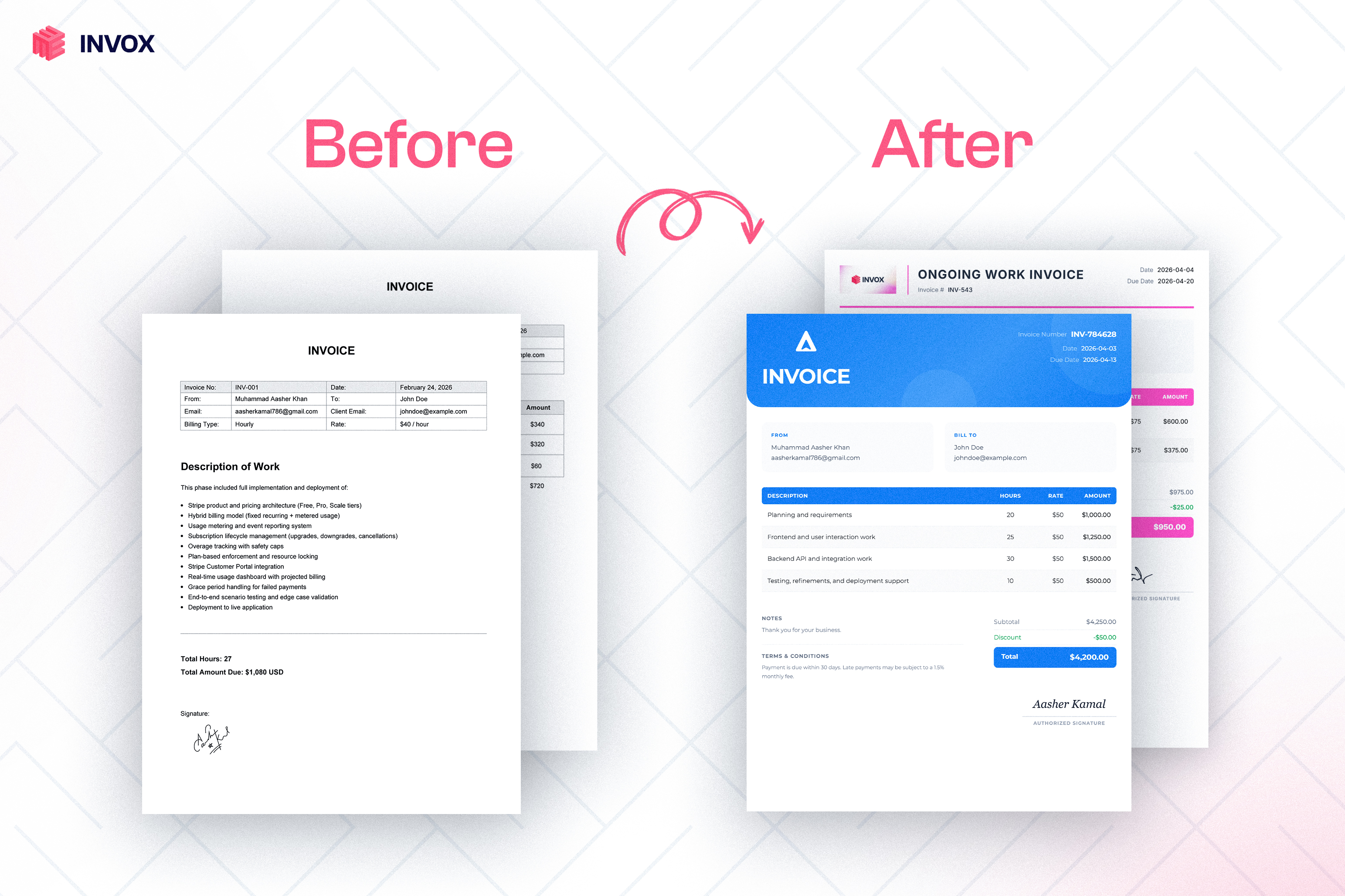
I used to create client invoices in Adobe Illustrator. Every single one took 30 to 40 minutes. Open a blank artboard, type the line items, calculate totals on my phone, align everything manually, export to PDF. The result still looked mediocre.
When I looked at existing tools, the landscape split into two categories: heavyweight SaaS platforms (FreshBooks, Wave, Zoho Invoice) that wanted subscriptions, onboarding flows, and dashboards before I could generate a single PDF, and simple template-based generators that had no intelligence and limited design quality.
I wanted a faster path: upload my project contract, tell the app my rate and hours, and get a polished draft I could still edit. The manual editor works without an account; the AI features use a free account to limit abuse. So I built it.
What It Does
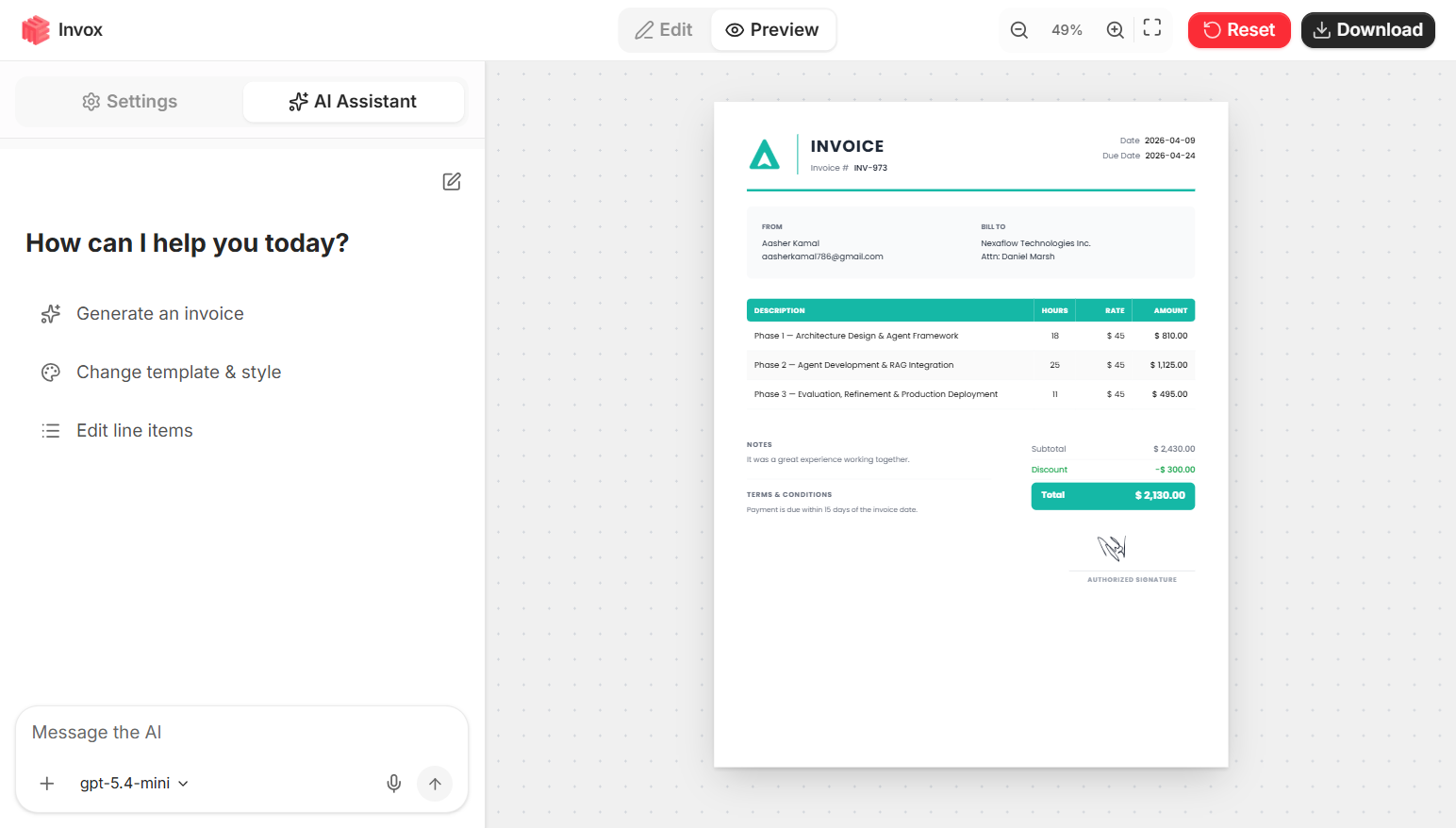
Invox combines a conversational AI agent with a full invoice editor. There are three distinct ways to create and edit invoices, and they all work together.
🔹AI Chat. You describe your invoice in natural language. "I redesigned a website for Acme Corp, 22 hours at $40/hour, net-30 terms." The AI agent parses this, calls the appropriate tools, and builds the invoice in real time via a streaming interface. Multi-turn conversations maintain context, so you can keep refining: "Add a 10% discount," "Change the design to minimal," "Change the due date to end of month."
🔹Document and Image Upload. Drop in a PDF contract, a project brief, a scope of work, or even a photo. The AI reads the document, extracts client details, line items, and terms, then pre-fills the invoice. You provide your rate and hours, and it handles the rest.
🔹Voice Input. Record a voice note describing your invoice instead of typing. The audio is transcribed and sent through the same conversational agent pipeline.
Beyond AI, every field on the invoice is directly editable by clicking on it (inline editing), and a tabbed settings panel gives full manual control over branding, typography, financials, and layout.
Technical Architecture
-
Frontend: Next.js 16 with TypeScript, Tailwind CSS v4, and Coss UI (Base UI + Tailwind). The invoice preview renders in real time as changes arrive from the AI or from manual edits.
-
AI Agent: Built on the OpenAI Agents SDK (
@openai/agents). The agent runs entirely server-side via a Next.js Route Handler. The client sends a message along with the current invoice state. The server responds with a Server-Sent Events (SSE) stream containing text deltas and invoice patches. The agent has access to multiple tools for updating invoice fields, and it selects the right ones based on the user's intent. Multi-turn context is maintained across messages within a session. -
Document Processing: Uploaded PDFs, images, and documents are parsed server-side. The extracted content is passed to the AI agent as context alongside the user's instructions, enabling the agent to map document details to invoice fields automatically.
-
Voice Pipeline: Voice recordings are transcribed using OpenAI's transcription API, then fed into the same conversational agent pipeline as text input.
-
PDF Export: Uses jsPDF combined with html-to-image to export the rendered 816x1056px invoice view as a PDF, including its selected typography, colors, layout, and signature.
-
Data Storage: All invoice data is stored in the browser's localStorage. No server-side database, no user accounts for core functionality. AI features require a free account to prevent abuse, and AI requests are processed through OpenAI, but no invoice data is persisted on any server.
Design and Templates
Invox ships with 12 distinct templates: Standard, Modern, Minimal, Classic, Elegant, Bold, Corporate, Creative, Startup, Receipt, Gradient, and Retro. Each template has its own header layout and supports customization of colors, fonts, and spacing.
Users can upload a company logo, set brand colors, add payment terms and notes, and include a signature (either drawn freehand on a pressure-sensitive canvas or generated from their name).
The design system supports both hourly and flat-fee billing, tax and discount calculations with automatic totals, custom field labels, and configurable due dates.
Key Technical Decisions
Why OpenAI Agents SDK over LangChain or LangGraph? For a single-agent tool-calling workflow with SSE streaming, the Agents SDK provides a cleaner, lighter abstraction. There is no multi-agent orchestration needed here, so the overhead of a framework like LangGraph was unnecessary. The SDK's native tool-use pattern maps directly to invoice field updates.
Why free and open source? I wanted the complete implementation to be useful beyond the live demo. Open-sourcing Invox makes the architecture inspectable, gives other developers something concrete to learn from, and keeps the product accessible without adding a subscription layer.
How an Invoice Moves Through the System
- The user starts with text, a document, an image, or a voice note.
- The server-side agent interprets the request and selects invoice-update tools.
- Tool calls return structured patches rather than an opaque generated document.
- The browser applies those patches to the same editable invoice state used by the manual controls.
- The completed visual can be exported to PDF without moving invoice storage into a server database.
This separation is important: the agent proposes structured changes, while the editor remains the source of truth the user can inspect and change.
What the Product Demonstrates
-
For users: A freelancer or small business owner can create an invoice manually or begin with an AI-generated draft, edit the result, and export it as a PDF without a paid subscription.
-
As a technical demonstration: Invox is a working open-source implementation of the OpenAI Agents SDK with tool orchestration, SSE streaming, multi-modal input (text, voice, document), and a polished consumer-facing UI. It demonstrates the full loop from natural-language intent to structured data output to rendered visual artifact.
-
Open source: The full codebase is publicly available on GitHub.